
The modern iPhone Home Screen has evolved far beyond a simple grid of app icons. Many users now demand a highly personalized setup where every app, folder, widget, color palette, and shortcut integrates into a specific aesthetic theme or advanced productivity workflow.
Testing dozens of widget and Home Screen customization tools on the iOS App Store reveals a clear divide in the market. While the vast majority of available applications focus strictly on cookie-cutter templates and pre-made themes, only a select handful provide the granular flexibility required to construct genuinely tailored, per-app layouts.
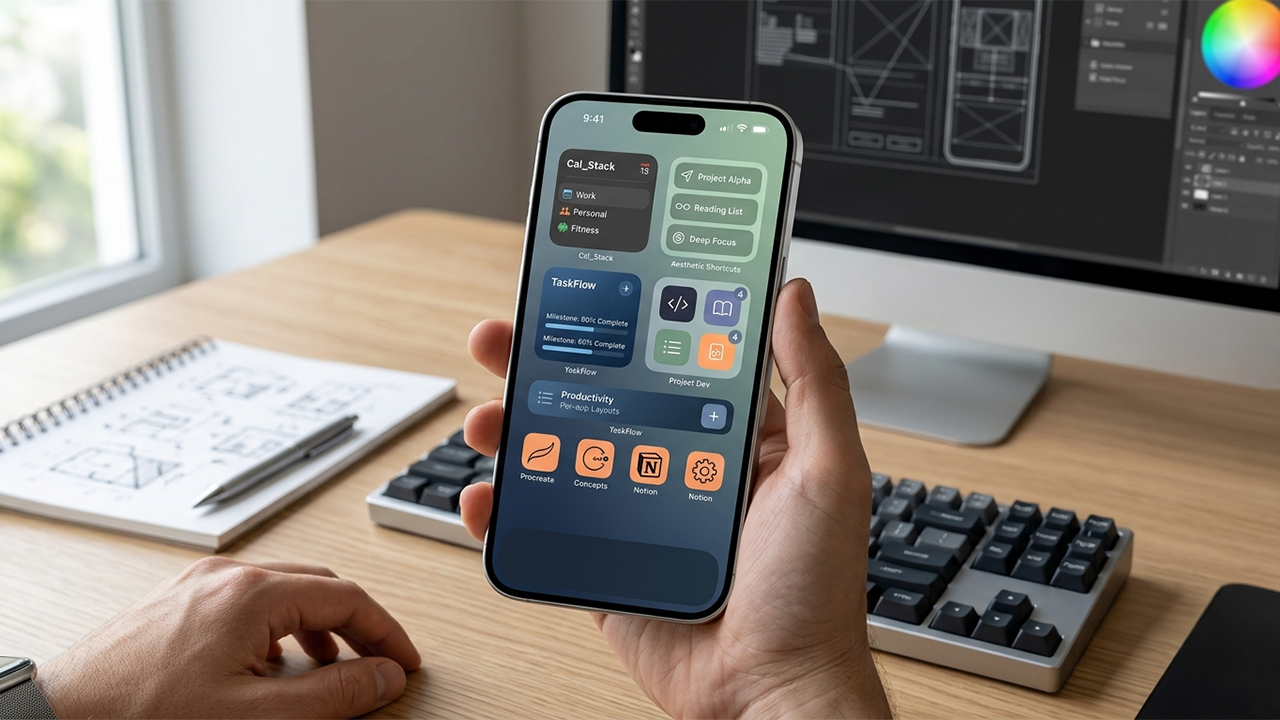
This evaluation filters those choices based on four primary benchmarks: the depth of widget customization, per-app organization capabilities, the learning curve required to build an aesthetic interface, and overall value for money. The following options represent the most powerful tools currently available for establishing total visual and functional control over an iPhone.
Widgetsmith remains a fundamental pillar of iOS customization, balancing powerful features with an approachable interface. The app provides a massive selection of highly customizable widgets, ranging from dynamic weather tracking and calendar schedules to personalized photo galleries and fitness data.
Users can configure widgets to appear dynamically on the Home Screen using timed scheduling rules. For instance, a morning weather forecast can automatically swap out for a calendar breakdown during work hours, and transition into a step-counter in the evening.
Platform Support: iPhone, iPad, and Apple Vision devices.
Pricing Structure: Free download with optional in-app subscription tiers to unlock premium data sources like radar weather maps.
Widgy Widgets caters directly to power users who view the iPhone screen as a blank canvas. Operating similarly to advanced graphic design software, it grants creators complete control over multi-layered designs, allowing for the integration of live system metrics, scriptable automation, and custom health data layers.
The application has kept pace with recent iOS visual upgrades, introducing fluid rendering options like liquid glass textures and true transparency modes for tinted layouts. The depth of control means the platform requires a steeper learning curve, but it remains unmatched for building intricate, interactive setups.
Platform Support: iPhone, iPad, Apple Watch, Mac, and Apple Vision devices.
Pricing Structure: Free to download, utilizing a one-time lifetime purchase system to unlock additional active widget slots and premium features.
Color Widgets targets users looking for immediate visual gratification without sacrificing design cohesion. It excels at providing thousands of beautifully curated, cohesive phone themes that bundle matching wallpapers, custom app icon packs, and stylized widgets into single-click installations.
Beyond its extensive marketplace of user- and artist-submitted templates, the app features an intuitive editor for editing fonts, borders, and color profiles. It is the ideal starting point for anyone wanting a polished, stylized interface with minimal manual configuration.
Platform Support: iPhone, iPad, Mac, and Apple Vision devices.
Pricing Structure: Free base version, with premium elements and extended customization toolsets locked behind a Pro subscription model.
Launcher with Multiple Widgets approaches customization from a pure productivity and action-oriented perspective. Instead of merely displaying passive information, this tool transforms standard widget spaces into interactive control centers capable of initiating direct actions.
From a single widget container, users can launch specific deep-linked settings, trigger automated smart-home scenes, initiate calls to frequent contacts, or execute custom web commands. Recent updates have streamlined performance, allowing web and music launchers to trigger instantly without opening the host application first.
Platform Support: iPhone, iPad, Apple Watch, and Apple Vision devices.
Pricing Structure: Free version available, with a one-time premium upgrade option to unlock unlimited simultaneous widgets and location-based dynamic icon swaps.
Apple Shortcuts serves as the indispensable companion tool that makes complete per-app home screen overhauls possible. While not a third-party app, this native iOS feature allows power users to bypass default application styling entirely by creating custom launcher pathways.
By mapping individual applications to custom launch actions, decorators can assign unique names, high-resolution icons, and minimal text styling to any app on the phone. When combined with transparent widget layers, this native integration bridges the gap between visual aesthetics and core operating system functionality.
Platform Support: Built natively into iOS, iPadOS, macOS, and watchOS.
Pricing Structure: Completely free with no additional purchases required.
Achieving an optimized, highly customized iOS layout generally yields the best results when utilizing a hybrid ecosystem rather than relying on a single platform. For general layout architecture and rich, data-driven interfaces, Widgetsmith offers the most balanced starting point, while Widgy provides the definitive environment for advanced visual experimentation.
For those focusing strictly on uniform design schemes, Color Widgets removes the friction of matching separate elements manually. Meanwhile, Launcher handles heavy functional automation across complex screens.
Ultimately, truly complete, per-app personalization requires pairing one of these specialized widget engines with Apple’s native Shortcuts app to override default icon grids. This specific combination continues to deliver the most cohesive, visually striking, and stable customization results possible on modern iOS hardware.