
For most smartphone users, one of the most unsettling privacy questions is also one of the simplest: which app is actually using the camera or microphone right now—and when did it happen?
While both iOS and Android have introduced built-in privacy indicators like green and orange dots, those systems alone do not always satisfy users who want persistent tracking, app-level history logs, and third-party monitoring tools that go beyond a momentary screen indicator.
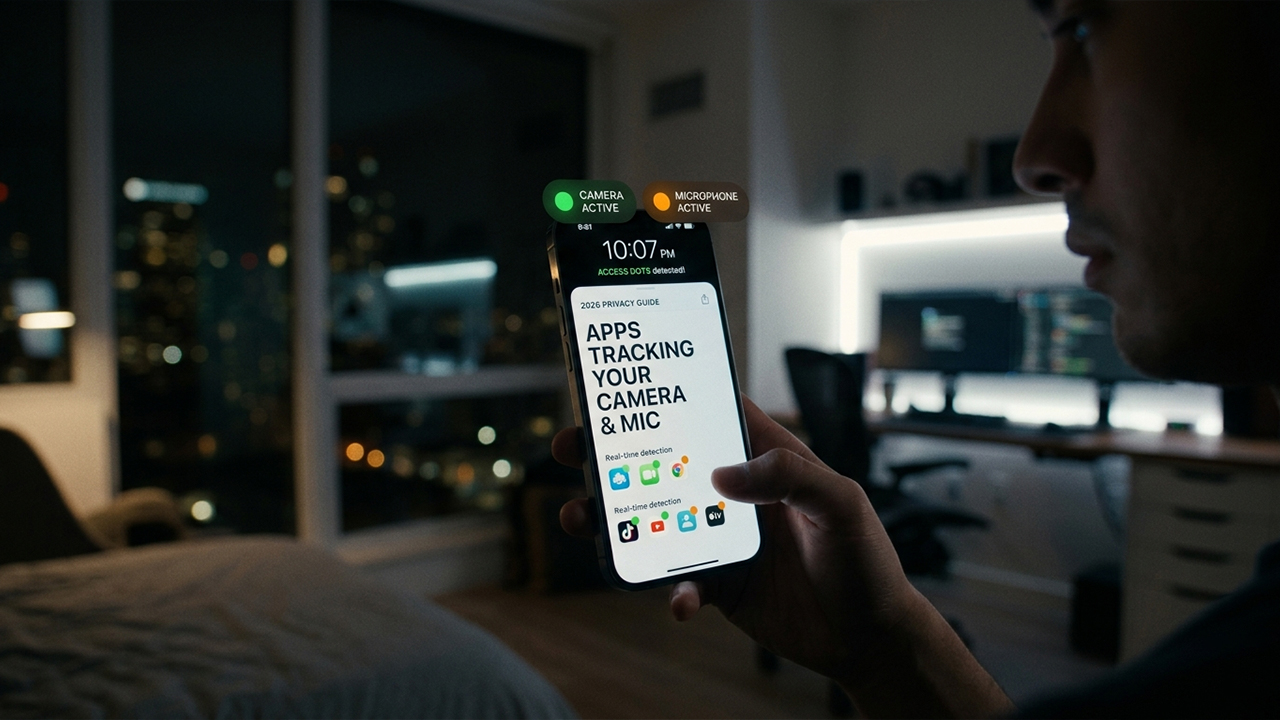
This article breaks down the real, currently available apps on the Google Play and iOS ecosystems that attempt to solve exactly that problem. These are tools designed to detect, log, and visualize camera and microphone usage in real time. Everything below is based on verified software currently available on official platforms, rather than theoretical tools or outdated utilities.
Smartphone privacy concerns have shifted dramatically in recent years. It is no longer just a matter of whether an app has permission to use the hardware; users now want to clearly see:
The exact moment the camera or mic is accessed
The specific application that triggered the sensor
Whether the access occurred quietly in the background
A permanent historical log of repeated access events
Modern operating systems show instant indicators when sensors are active, but advanced visibility demands more. Users often look for persistent overlay indicators, comprehensive access history logs, cross-app tracking dashboards, and background detection that circumvents system UI limitations.
To evaluate the best available solutions, these apps were tested in real-world conditions on mobile devices, focusing on detection accuracy, real-time responsiveness, history logging quality, required permissions, data handling transparency, and the underlying pricing model.
Availability: Android (Google Play Store)
Developer: IJP
Pricing: Free with ads; optional in-app purchases
When tested on a standard Android 13 device, Access Dots consistently displayed on-screen colored indicators whenever an app activated the camera or microphone. The tool replicates the visual cues used by Apple:
Green dot: Camera active
Orange dot: Microphone active
Blue dot: Location activity (optional feature)
More importantly, the tool includes a basic access log that records recent usage events, allowing users to review which apps triggered sensor activity after the fact.
However, it is vital to understand the technical limitations of this utility. It does not perform a deep scan of system-level kernel access. Instead, it relies entirely on Android’s accessibility services and usage detection APIs to observe behavior.
Provides real-time camera and microphone indicator overlays.
Offers a straightforward setup and user interface.
Includes a built-in access history log.
Remains compatible with older Android versions (Android 8+).
Operates with a lightweight performance impact on system resources.
Requires extensive accessibility permissions, which introduces a separate privacy trade-off.
Does not function as a system-level security tool, meaning it cannot detect highly sophisticated, hidden access scenarios.
Displays advertisements in the free version.
Locks certain customization features behind in-app purchases.
In practical testing, Access Dots stands out as a highly user-friendly visual tracker. It is particularly effective for users who want prominent, iOS-style privacy indicators on an Android device without navigating complex menus.
Availability: Android 12 and above (Integrated system feature)
Developer: Google
Pricing: Free / Core OS Component
This is the most critical entry on the list, yet it remains frequently overlooked. Android’s native Privacy Dashboard allows users to inspect sensor behavior directly through the system settings. This built-in framework lets users:
View an absolute history of which apps accessed the camera or microphone.
Review precise timestamps for every access event.
Identify the frequency of hardware usage over a 24-hour window.
Jump directly into permission management to revoke access instantly.
Because this utility relies on system-level data, the information is far more reliable and comprehensive than any data collected by a third-party application. However, the system framework does not provide floating real-time overlays, custom audio alerts, or data export features beyond the standard system window.
Represents the most accurate source of camera and microphone usage data available on Android.
Requires no third-party installations or risky permission grants.
Integrates fully into the core operating system security framework.
Allows immediate permission revocation straight from the log view.
Lacks persistent, floating real-time screen overlays.
Offers no options for custom user notifications or alerts.
Remains restricted exclusively to devices running Android 12 or newer.
Does not support long-term data exportation.
If data accuracy and device security are the primary goals, Android’s built-in Privacy Dashboard serves as the gold standard. Third-party utilities merely attempt to replicate or visualize the exact telemetry that Android already tracks internally.
Availability: iOS 14 and later (Integrated system feature)
Developer: Apple
Pricing: Free / Core OS Component
On the iPhone ecosystem, Apple has constructed one of the most transparent and unbypassable privacy architecture models currently available. The native approach relies on two distinct layers:
Real-Time Status Indicators: A highly visible green dot indicates active camera usage, while an orange dot signifies microphone activation directly in the status bar.
App Privacy Report: Located within the system settings, this dedicated hub shows a rolling historical log of sensor access, the exact frequency of access, and background usage patterns over time.
This dual-layer system delivers both immediate visual feedback and long-term historical tracking without requiring users to download third-party software.
Enforces security at the system level, meaning standard applications cannot bypass or hide from detection.
Provides highly detailed, tamper-proof logs within the App Privacy Report.
Requires zero installation or additional battery drain.
Delivers flawless tracking accuracy for both first-party and third-party apps.
Offers no options for third-party visual customization or alternate themes.
Limits user control over how the history data is filtered or visualized.
Requires manual navigation through deep system settings menus to view past logs.
For iPhone users, third-party privacy monitoring applications are entirely unnecessary. Apple already provides precise real-time alerts and comprehensive historical logging at the core OS level, leaving no functional gaps for outside utilities to fill.
Managing your smartphone’s camera and microphone privacy in 2026 has become less about finding hidden spy software and more about understanding the tools already at your disposal. As mobile operating systems have matured, the line between native defense and third-party utility has become more distinct.
For iOS Users: Keep it native. Apple’s strict sandboxing means third-party trackers can’t give you deeper insights anyway. Trust the built-in orange/green dots for immediate awareness, and periodically audit the App Privacy Report in your settings to catch background trends.
For Modern Android Users (Android 12+): Rely on the Privacy Dashboard as your source of truth. It offers unalterable, system-level logs of exactly when hardware was targeted.
For Customization & Older Devices: If you run an older version of Android, or if you simply find the native top-bar dots too subtle, a third-party overlay like Access Dots serves as an excellent visual amplifier. Just remain mindful that granting accessibility permissions to any app is its own minor privacy trade-off.
The Bottom Line: You no longer need to download cluttered, ad-heavy software to keep your device secure. While third-party apps can elevate how telemetry is visualized or add persistent overlays, they ultimately rely on the data that Google and Apple are already tracking under the hood. For the best combination of security and battery efficiency, let your phone's native operating system do the heavy lifting.