
Almost every smartphone owner has experienced the same frustration: storage space keeps disappearing even after deleting photos, videos, and unused apps.
Rigorous evaluation across multiple Android and iPhone devices reveals a consistent pattern. The most severe storage bottlenecks rarely stem from user-visible files. Instead, hidden caches, leftover app data, duplicate media, abandoned downloads, temporary files, crash logs, and residual folders left behind by uninstalled applications quietly accumulate and consume significant space over time.
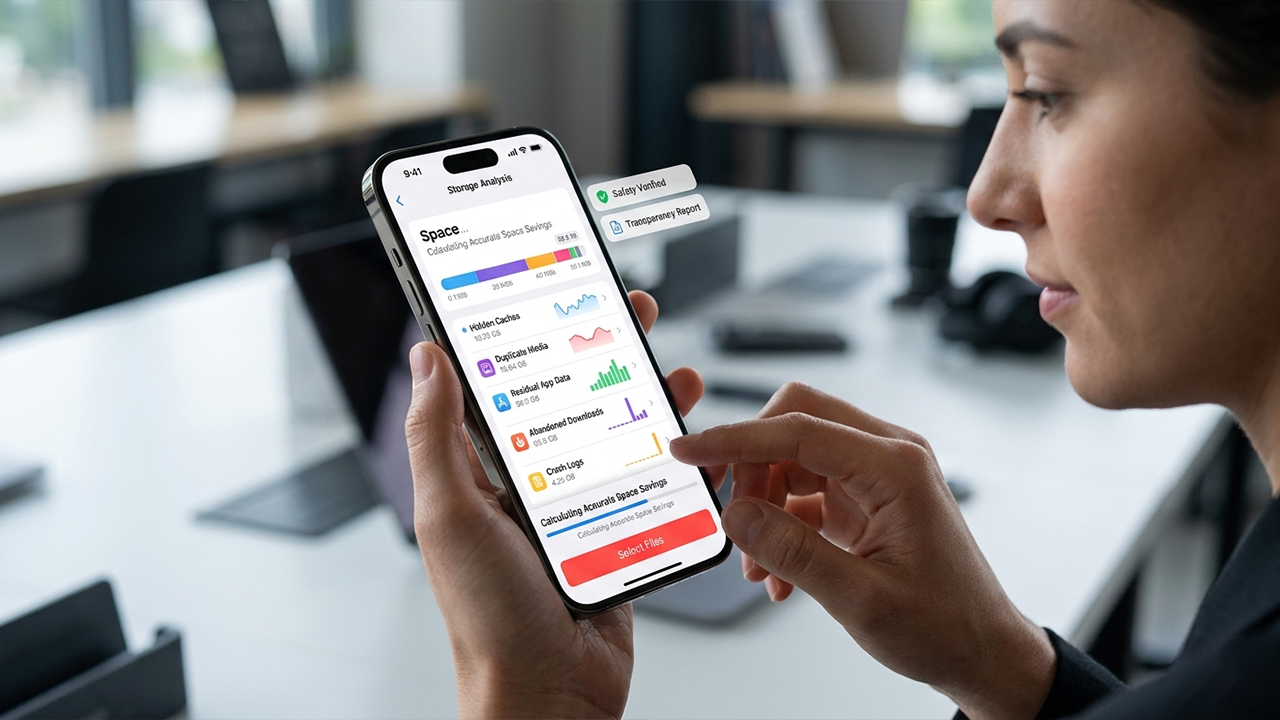
The primary challenge lies in the marketplace itself; many so-called "cleaner" apps promise miraculous performance boosts but deliver nothing more than basic cache clearing. Truly valuable tools focus instead on accurately identifying unnecessary data, maintaining complete transparency about what will be removed, and ensuring users can thoroughly review files before permanent deletion.
The selection process for this review relied on four core criteria:
Accuracy in identifying unnecessary files
Safety and transparency before deletion
Ability to detect data beyond basic cache cleaning
Active availability on the Apple App Store or Google Play Store
The following applications stood out as legitimate, actively maintained storage management solutions rather than aggressive, placebo-style "speed booster" utilities.
OS Availability: Android
As a first-party utility directly from Google, Files by Google remains one of the most trustworthy options for Android storage management. Unlike many third-party alternatives, this application prioritizes straightforward file organization over questionable device-acceleration claims.
The built-in cleanup feature systematically targets:
Redundant junk files and temporary app-generated content
Forgotten screenshots and obsolete downloads
Duplicate media files and oversized attachments
Detailed storage breakdowns allow for the effortless location of unusually large files and folders. Recent software updates have further refined the automated detection of background clutter. Safety remains a core strength, as the tool avoids aggressive deletion recommendations and requires manual confirmation before any data is permanently removed.
Completely free with no subscription requirements
Official Google development ensures seamless system integration
Highly accurate junk-file detection
Safe, user-controlled review process before deletion
Exclusive to the Android platform
Inability to clear all app caches automatically on newer Android versions due to modern OS restrictions
Less effective for deep, advanced residual-file eradication
Free.
OS Availability: Android and iPhone
Having maintained a strong reputation in PC maintenance for decades, CCleaner offers a mobile adaptation that serves as an effective mainstream cleaning tool.
The application demonstrates strong performance in isolating:
Leftover installation files and browser-related junk
Obsolete downloads and redundant documents
Underutilized applications that drain resources
An integrated App Manager assists in identifying software that consumes excessive storage, battery life, or mobile data. On Android devices, the tool successfully uncovers residual and unnecessary files that standard system menus typically overlook. Conversely, the iPhone iteration shifts its focus toward managing duplicate photos, videos, and contacts, which aligns with Apple’s stricter ecosystem boundaries.
Cross-platform availability for both Android and iOS
Robust storage analysis and data-mapping capabilities
Clean, intuitive interface suitable for all experience levels
Insightful metrics regarding overall application usage
Intrusive advertisements present in the free Android version
Premium paywalls restrict access to advanced features
Diminished capabilities on iOS due to platform limitations
Free download with optional premium upgrades and subscription tiers.
OS Availability: Android
For those prioritizing the removal of dead weight left behind by uninstalled applications, SD Maid SE stands as the most specialized tool available for the Android ecosystem.
Deep system scans regularly uncover:
Orphaned directories and residual folders from deleted apps
Forgotten cache paths and system log files
Empty directories and obsolete crash reports
The development philosophy centers explicitly on targeting the hidden clutter that standard Android applications leave behind in shared storage areas. This uncompromising focus on genuine file cleanup rather than exaggerated performance metrics has earned the utility a dedicated following among advanced users and tech communities.
Unrivaled detection of residual and orphaned files
Completely ad-free user experience
Advanced storage analysis tailored for deep cleaning
Highly praised by Android power users for transparency
Unavailable for iOS devices
Technical interface that may feel overwhelming to casual users
Automation features require a premium upgrade
Free download with in-app purchases for advanced automation functionality.
OS Availability: iPhone
Apple’s stringent privacy controls prevent third-party applications from deeply modifying system caches in the manner of Android utilities. Consequently, the most effective iPhone storage tools pivot toward sophisticated media optimization.
Cleaner Kit excels specifically in identifying:
Duplicate and highly similar photographs
Redundant, high-capacity videos
Accidental screenshots
Identical or incomplete contact entries
The duplicate detection engine operates with impressive accuracy, proving highly effective when analyzing massive photo libraries built up over multiple years. Supplementary tools for video compression and contact organization allow for the recovery of meaningful gigabytes without risking critical system stability.
Superior duplicate-media scanning and clustering
Modern, streamlined user interface
Efficient contact deduplication tools
Rapid scanning speeds even with large libraries
Aggressive subscription-focused pricing model
Inherently limited by the boundaries of iOS
Cannot clear core system or application caches directly
Free download with subscription-based premium access.
OS Availability: iPhone
Although the brand appears earlier on this list, the dedicated iOS version of CCleaner warrants distinct recognition due to its tailored approach to the unique constraints of the Apple environment.
Rather than attempting system-level modifications, this version focuses entirely on:
Streamlining photo and video storage
Consolidating disorganized contact lists
Reclaiming space through visual duplicate identification
The software handles extensive media libraries smoothly, providing clear, high-resolution previews before any deletion occurs. This thoughtful design choice significantly minimizes the risk of accidentally removing sentimental or important personal media.
Familiar, dependable branding and interface layout
Efficient media categorization and organization
Reliable duplicate detection algorithms
Straightforward, step-by-step cleanup workflows
No deep system or cache cleanup due to iOS security policies
Essential utility features remain locked behind paid tiers
Free download with available in-app purchases.
The optimal choice in storage management depends entirely on the operating system in use.
SD Maid 2/SE For unearthing deep-seated junk files, residual folders, and abandoned app data that standard cleaners miss, this tool delivers the most thorough results. It consistently uncovers unnecessary files that remain invisible to built-in system tools.
Files by Google This application offers the safest, most straightforward cleanup experience without requiring a subscription. For the vast majority of users, it provides all the essential capabilities needed to maintain a clutter-free device.
Cleaner Kit Because iOS restricts deep system modifications, meaningful storage recovery must come from removing duplicate and bloated media. This utility proves to be the most precise and effective tool for that specific task.
The definitive takeaway from extensive marketplace testing remains clear: the most valuable cleanup applications are never the ones promising dramatic speed enhancements. The genuinely useful tools are those that accurately identify junk files, leftover app data, and duplicate media while keeping the user fully in control of the deletion process.